
Bridging the gap between your public-facing website and your internal operations
Connecting your business logic to an external presence allows 5Ws to act as a Universal Command Centre, bridging the gap between your public-facing website and your internal operations. By treating external form submissions as Strategic Triggers, 5Ws transforms static data into a synchronized digital orchestra
You can connect external websites and online forms (such as standard web page forms or Google Forms) directly to the 5Ws ecosystem. This allows information submitted by users—whether they are clients, subcontractors, or partners—to flow seamlessly into your management environment.
Here are detailed examples of how these connections function:
Example 1: Automated Registrations and Record Management
In this scenario, a website serves as the entry point for your CRM or database management.
• The Inbound Trigger: A user completes a registration form on your external website. This data is transmitted to 5Ws as an HTML trigger.
• Creating the "Card" (Record): Using specific keywords (e.g., "New Registration"), 5Ws identifies that this submission should establish a new static Card.
• Static Data Storage: The card holds the registrant's personal data—such as name, contact details, and preferences—acting as a permanent reference for your sales or HR teams.
• Closing the loop: 5Ws send a confirmation message to the new registrant.
Example 2: Intelligent Service Call Dispatch and Payment Loop
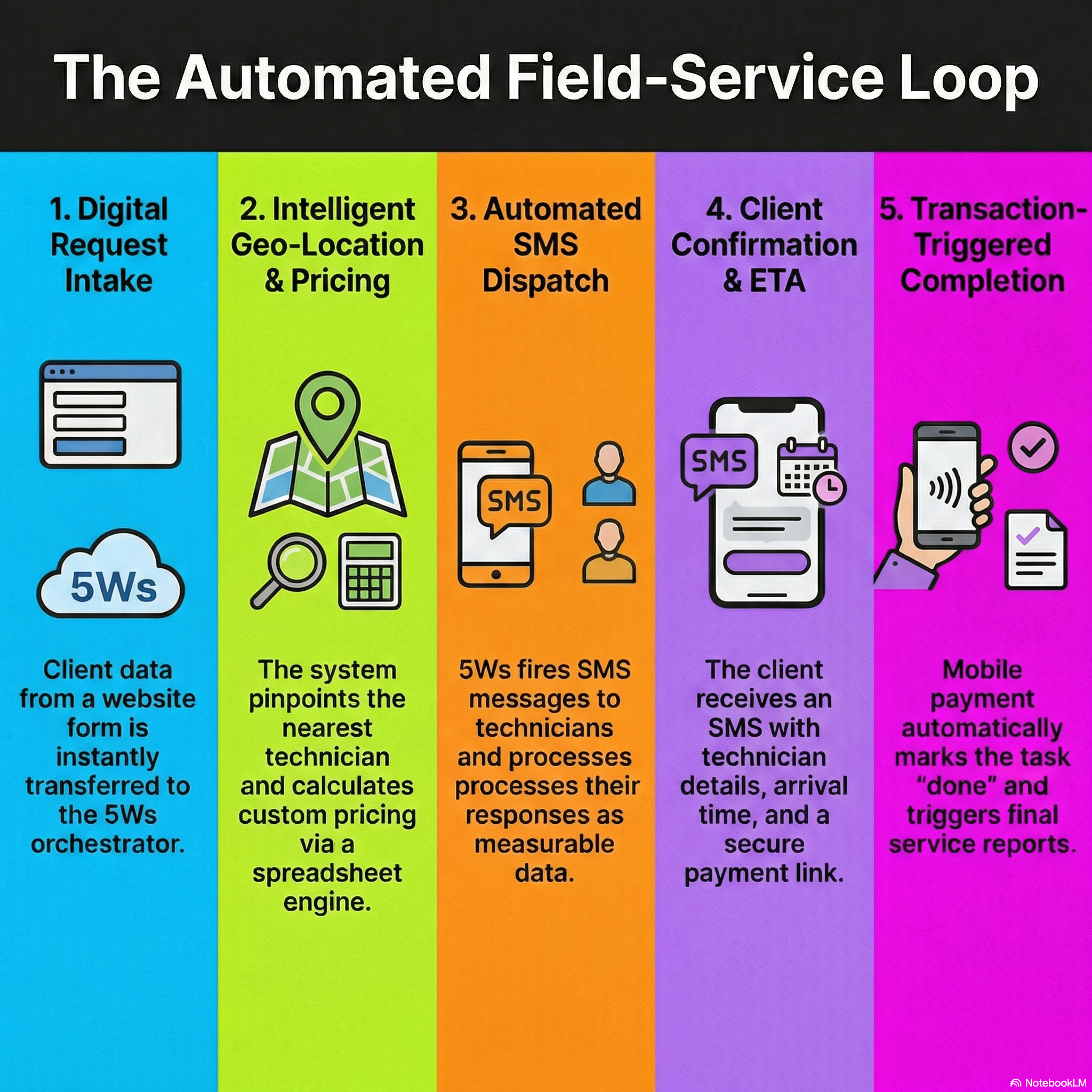
This example demonstrates a complex, automated field-service workflow where 5Ws acts as the orchestrator between the client, the office logic, and the technician.
1. Initiation: A client opens a service call via an external website form. All data is instantly transferred to 5Ws.
2. Location and Resource Discovery: 5Ws uses Geo-services to pinpoint the client's location and identifies the nearest available technicians in that area.
3. The "Logic Brain" Calculation: This data is written into your spreadsheet back-end engine. The spreadsheet calculates the service price based on your unique formulas and drafts the content for SMS messages to potential technicians.
4. Technician Activation: 5Ws fires the SMS messages to the technicians. An available technician responds via SMS, which 5Ws treats as a measurable input to update the process.
5. Closing the Loop with the Client: The logic engine reads the technician's response and automatically sends a confirmation SMS to the client. This message includes:
◦ The assigned technician’s details.
◦ A calculated estimated time of arrival (ETA).
◦ A secure payment link generated by the built-in URL generator.
6. Transaction-Triggered Completion: Once the client pays via their mobile device, the system marks the task as "done" and can automatically trigger the next phase, such as an internal notification or a digital service report.
Your process management requires a sophisticated digital orchestra. Read more about our digital instruments—5Ws built-in features:
-
Unlock the Power of Your Logic: The Spreadsheet as Your Engine (read more)
-
Dynamic Event Orchestration: The Engine of Your Process (read more)
-
Seamless Calendar Sync: Work Where You Are (read more)
-
Integrated Cloud Document Management (read more)
-
-
-
-